
A vulnerability scanner can flag a weakness, but identifying its real security impact takes more than a scan. Penetration testing tools help security professionals discover exposed assets, examine vulnerabilities, test security controls, and investigate potential attack paths. Their value depends on how testers select, combine, and interpret the results.
This blog explores the pen testing tools used across different stages of an assessment, from reconnaissance and vulnerability scanning to exploitation, access analysis, and reporting.
What Pen Testing Tools Do: Their Role in Security Assessments
Pen testing tools support the technical activities involved in identifying and validating security weaknesses. They help testers collect information, examine systems, automate repetitive checks, and investigate potential attack paths.
A tester might use one tool to find open ports and another to inspect application requests. A third tool can show whether a configuration weakness leads to unauthorized access.
Common capabilities include:
- Asset Discovery: Building a clear view of hosts, domains, applications, services, and exposed infrastructure.
- Vulnerability Detection: Examine systems for known vulnerabilities, outdated software, and insecure configurations.
- Traffic Analysis: Enabling close inspection of network communications, protocols, and application requests.
- Exploitation Validation: Advancing findings into proof by testing whether weaknesses create measurable impact.
- Access Analysis: Securing identity paths by examining permissions, authentication controls, and privilege escalation routes.
- Evidence Collection: Capture technical details that support findings and remediation recommendations.
The tester remains central to the assessment. Automated tools identify patterns and flag potential weaknesses. Manual investigation then confirms which weaknesses are exploitable and what they mean for the organization.
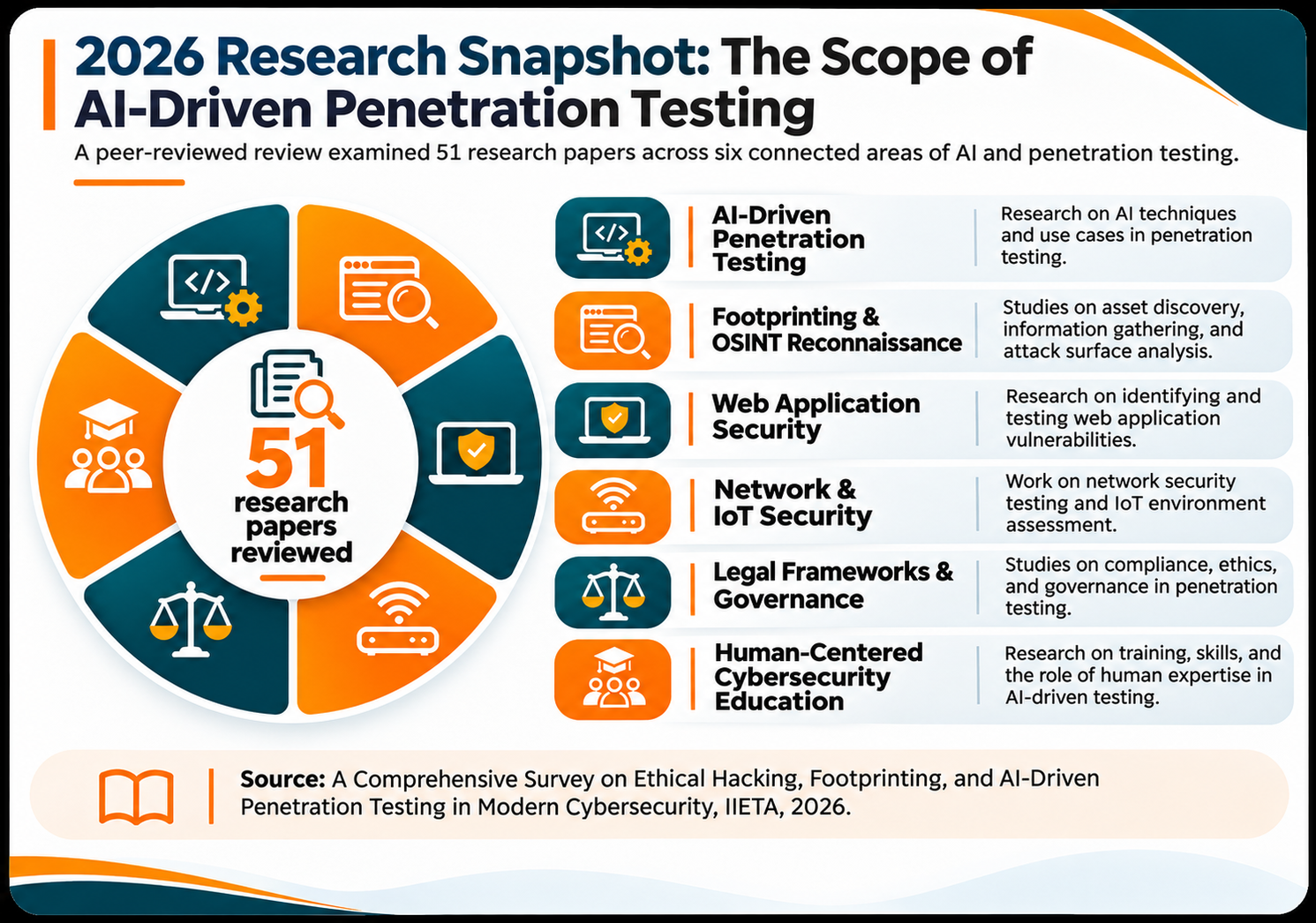
Pen Testing Tools by Stage: From Reconnaissance to Reporting
Penetration testers use different tools as an assessment progresses. Some help discover exposed assets, while others identify vulnerabilities, validate weaknesses, examine access paths, and collect technical evidence. The following penetration testing tools list covers commonly used options across five stages of an engagement.
1. Reconnaissance and Asset Discovery
Reconnaissance establishes an initial understanding of the target environment. Testers collect information about domains, subdomains, hosts, open ports, and publicly accessible services to identify assets within the authorized scope.
- Nmap: Discovers active hosts, open ports, running services, and service versions across a network. Its service detection shows which applications and protocols run on each system.
- Amass: Supports external attack surface mapping through DNS enumeration and domain intelligence. Testers use it to identify related domains and subdomains that may reveal additional internet-facing assets.
Together, these tools help build an initial picture of the target environment. Testers validate discovered assets before including them in further assessment activities.
2. Scanning and Vulnerability Identification
After identifying relevant assets, testers examine systems and applications for known vulnerabilities, outdated components, and insecure configurations.
- Nessus: Identifies known vulnerabilities, missing patches, and configuration weaknesses across supported systems.
- Burp Suite: Intercepts and examines HTTP and HTTPS requests to web applications. Its automated scanner comes with Burp Suite Professional.
These tools provide different types of assessment coverage. Nessus examines system-level vulnerabilities, while Burp Suite supports deeper investigation of web application security.
3. Exploitation and Validation
Exploitation helps establish whether an identified weakness can produce unauthorized access or another measurable security impact. Testers use controlled techniques within the agreed scope and rules of engagement.
- Metasploit Framework: Provides modules for exploit validation, vulnerability research, auxiliary testing, and post-exploitation assessment. Testers use it to examine whether specific vulnerabilities can produce the expected security impact.
- Burp Suite: Also supports manual exploitation and validation of web application weaknesses. Testers can modify requests, examine application responses, and investigate whether access controls or application logic behave as expected.
The objective is to establish the practical impact of a vulnerability. Validation confirms whether an attacker can exploit a detected weakness.
4. Post-Exploitation and Access Analysis
After validating an initial weakness, testers examine the access it provides and whether additional systems, accounts, or sensitive resources become reachable.
- BloodHound: Maps relationships and permissions in Active Directory and Microsoft Entra ID environments. Its visualizations help testers identify potential attack paths involving users, groups, permissions, and high-value resources.
- Hashcat: Supports password recovery and hash auditing. During authorized assessments, testers use it to evaluate password strength and identify weak credential practices.
These tools help investigate identity security and potential privilege escalation paths. Testers must validate whether identified relationships or recovered credentials create a practical security risk.
5. Traffic Analysis and Reporting
Traffic analysis and evidence collection help testers understand system communications and document validated findings.
- Wireshark: A network protocol analyzer that captures and examines network traffic. Testers use it to investigate communication patterns, inspect protocol behavior, and identify unexpected data exchanges relevant to an assessment.
- Technical Reporting: Testers organize evidence from scanning, manual investigation, and validation activities into structured findings. Each finding should identify the affected asset, supporting evidence, potential impact, severity, and recommended remediation.
The final report connects individual technical observations to the organization's security priorities. It also gives security teams a clear basis for remediation and subsequent validation.
Kali Linux and Other Penetration Testing Platforms
Penetration testing distributions provide ready-to-use environments with security tools for different assessment activities. Each platform offers a distinct tool collection, installation approach, and workflow.
1. Kali Linux
Preinstalled Tools: The default installation includes tools such as Nmap, Metasploit Framework, Wireshark, Burp Suite, and Aircrack-ng, depending on the selected image and installation profile.
When Testers Use It: Testers use Kali Linux for network discovery, vulnerability assessment, web application testing, exploitation, wireless security, and digital forensics. Its categorized tool collections also allow testers to add specialized utilities for specific engagements.
2. Parrot OS
Preinstalled Tools: The Security Edition includes tools such as Nmap, Burp Suite, OWASP ZAP, Metasploit Framework, BloodHound, Hashcat, and Aircrack-ng. The Home Edition does not include the same security toolset.
When Testers Use It: Testers use Parrot Security for penetration testing, red team assessments, wireless auditing, reverse engineering, and digital forensics. Its Home Edition also supports general-purpose development and privacy-focused workflows.
3. BlackArch Linux
Preinstalled Tools: BlackArch provides access to a repository of more than 2,800 security tools, covering reconnaissance, exploitation, forensics, reverse engineering, and wireless testing. The tools are installed through its package repository rather than all being included in every installation.
When Testers Use It: Experienced Linux users choose BlackArch when they prefer an Arch-based environment and want granular control over their assessment toolset.
4. BackBox Linux
Preinstalled Tools: BackBox includes a curated selection of utilities for network analysis, vulnerability assessment, web application testing, exploitation, and digital forensics.
When Testers Use It: Testers use BackBox for security assessments that benefit from a focused Ubuntu-based environment and a selected collection of testing utilities.
5. Fedora Security Lab
Preinstalled Tools: Fedora Security Lab provides a collection of security auditing, forensics, and system analysis applications, including tools for network analysis and application security.
When Testers Use It: Security researchers and testers use it for security auditing, forensic investigation, and controlled testing in a Fedora-based environment.
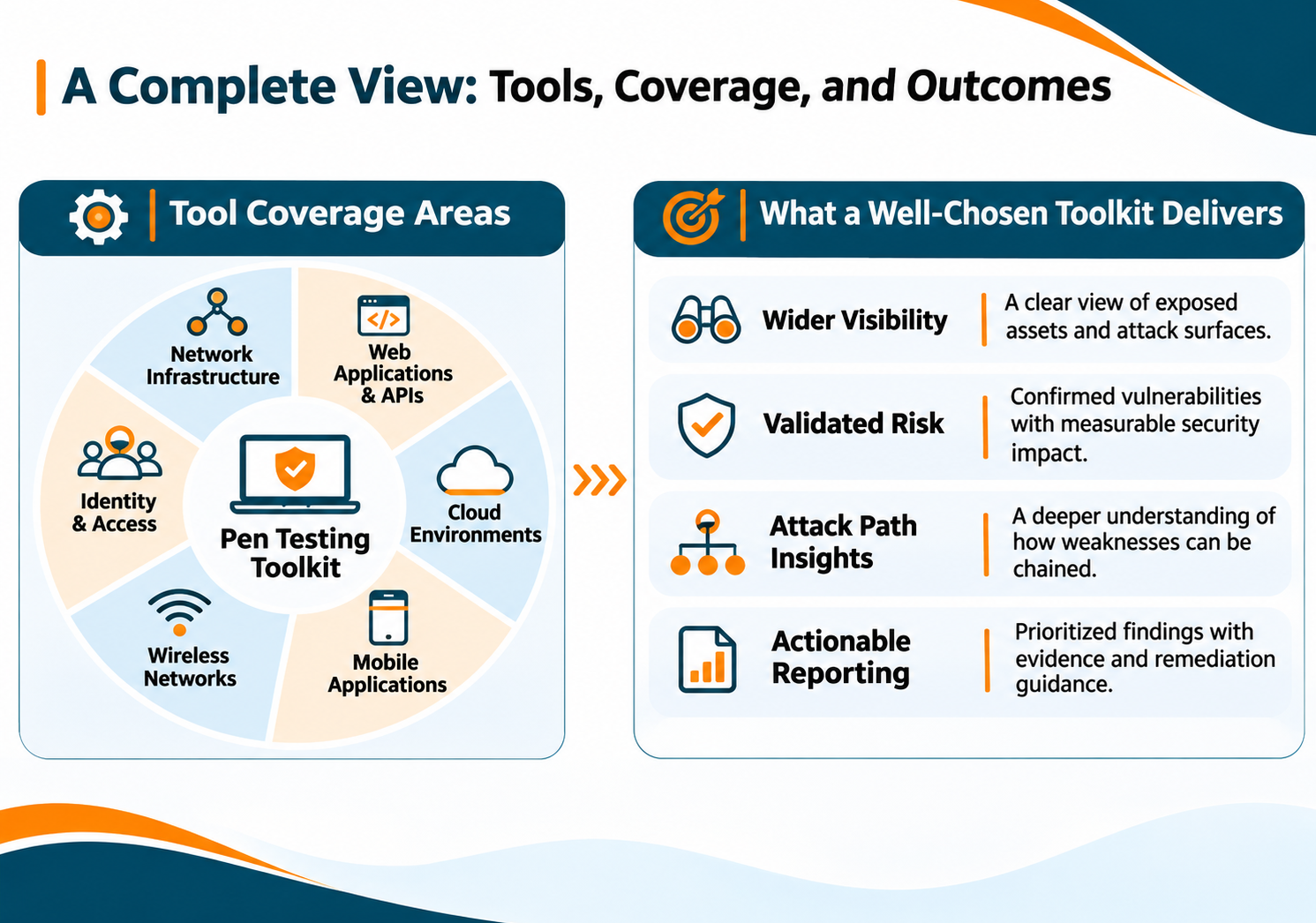
Tools by Test Type: Web, Network, Cloud, Mobile, and Wireless
Different environments require different penetration testing tools. Web applications, corporate networks, cloud infrastructure, mobile applications, and wireless networks each have distinct technologies and potential attack surfaces. The following tools support assessments across these environments, helping testers investigate vulnerabilities and validate security controls.
1. Web Application Penetration Testing Tools
Web application testing examines how applications handle requests, authentication, user input, sessions, and access controls.
OWASP ZAP: An open-source web application security testing tool that intercepts HTTP and HTTPS traffic, performs automated scans, and supports manual testing. Testers use it to investigate common web vulnerabilities and examine application responses.
Testers use ZAP across every stage of a web application assessment. Burp Suite, covered earlier, adds depth for manual testing.
2. Network Penetration Testing Tools
Network assessments examine exposed services, network configurations, communication paths, and security controls across connected systems. Tools such as Nmap and Wireshark support discovery and traffic analysis, while testers use additional utilities to validate identified weaknesses.
The right toolset depends on the network architecture, assessment scope, and testing objectives.
3. Cloud Penetration Testing Tools
Cloud assessments examine identity permissions, resource configurations, exposed services, and potential paths to sensitive resources.
ScoutSuite: A multi-cloud security auditing tool that collects configuration data through cloud provider APIs. It helps testers assess security posture across supported environments, including AWS, Microsoft Azure, and Google Cloud Platform.
Pacu: An AWS exploitation framework designed to assess the security of Amazon Web Services environments. Its modular capabilities help testers investigate cloud permissions, configurations, and potential attack paths during authorized assessments.
ScoutSuite supports configuration-focused reviews, while Pacu provides capabilities for controlled security testing of AWS environments.
4. Mobile Application Penetration Testing Tools
Mobile application testing evaluates application code, data storage, authentication, network communication, and runtime behavior.
MobSF: The Mobile Security Framework automates static and dynamic security analysis for Android, iOS, and Windows mobile applications. It helps testers examine application packages, source code, and runtime behavior.
Frida: A dynamic instrumentation toolkit that allows testers to observe and interact with application behavior at runtime. It supports investigation of application functions, API calls, and security controls across mobile and desktop platforms.
Together, MobSF and Frida support complementary approaches to mobile application security assessment.
5. Wireless Penetration Testing Tools
Wireless assessments examine Wi-Fi security, encryption, access point configurations, and network traffic.
Aircrack-ng: A suite of tools for assessing Wi-Fi network security. It supports wireless monitoring, packet capture, injection, and testing of WEP and WPA/WPA2-PSK security.
Testers use Aircrack-ng to evaluate wireless network protections and validate weaknesses within an authorized testing environment.
Open-Source vs. Commercial Pen Testing Tools: Key Differences
The best penetration testing tools depend on assessment requirements, available resources, licensing, and the level of support a team needs. Open-source and commercial options offer different advantages.
| Comparison Factor | Open-Source Tools | Commercial Tools |
|---|---|---|
| Cost | Generally free to use, although implementation, maintenance, and support may involve costs. | Require paid subscriptions, licenses, or usage-based fees. |
| Licensing | Use licenses such as GPL, MIT, or Apache 2.0. Terms vary by tool and may include redistribution or attribution requirements. | Governed by vendor-specific license agreements, usage limits, and subscription terms. |
| Features | Provide extensive capabilities, with features varying across individual tools. | Often include integrated workflows, advanced features, and centralized management. |
| Technical Support | Primarily rely on community forums, documentation, and contributor support. | Typically offer vendor-backed technical assistance and product documentation. |
| Customization | Often allow source-code access, modification, and integration, subject to license terms. | Customization depends on the vendor's supported features and licensing conditions. |
| Automation and Reporting | Capabilities vary. Some tools require additional configuration or integrations. | Often provide built-in scanning, automation, dashboards, and reporting features. |
| Best Fit | Teams seeking flexibility, customization, and control over their testing environments. | Teams requiring dedicated support, integrated workflows, and advanced testing capabilities. |
| Examples | Nmap, Wireshark, OWASP ZAP, Metasploit Framework. | Burp Suite Professional, Nessus Expert, Invicti. |
Where Pen Testing Tools Fall Short: Business Logic, Attack Paths, and False Positives
Automated penetration testing tools help identify vulnerabilities, scan systems, and validate known security weaknesses. However, their findings do not always reflect the full security risk within an organization.
- Business Logic Vulnerabilities: Tools may struggle to identify flaws involving application workflows, pricing rules, transaction sequences, or user permissions. Testers study how an application should work. This context reveals when its logic creates an exploitable weakness.
- Chained Attacks: Individual tools often examine specific vulnerabilities or attack surfaces. They may not establish how multiple weaknesses can combine to create a larger attack path. Manual testing helps connect these findings and evaluate their combined impact.
- False Positives: Automated scans can flag potential vulnerabilities that do not represent exploitable weaknesses in the tested environment. Testers must validate findings, examine supporting evidence, and distinguish confirmed risks from inaccurate results.
Tools provide broad assessment coverage. Human expertise adds the depth to interpret findings, trace attack paths, and measure business impact.